Data corrections
General (pipeline-independent) data corrections in ParSeq are designed to address distortions in experimental data. One example is the removal of diffraction peaks that may appear in fluorescence detectors during X-ray absorption measurements. Such peaks can manifest as sharp artifacts, appearing at different X-ray energies across detector channels. Correction strategies may include removing affected data points or replacing them with spline segments, guided by comparison with undistorted spectra.
ParSeq corrections are applied within a transformation node and affect all data arrays defined at that node. These corrections are executed after the upstream transformations that produce the node’s input data.
Note
When configuring a correction that depends on y-values (e.g. spline correction) in the ParSeq GUI, ensure that the plot widget does not apply normalization or any other transformation affecting the y-axis.
In the current version, only 1D nodes support data corrections. Each correction is defined by a dictionary of parameters. The following corrections are available:
correction |
description |
|---|---|
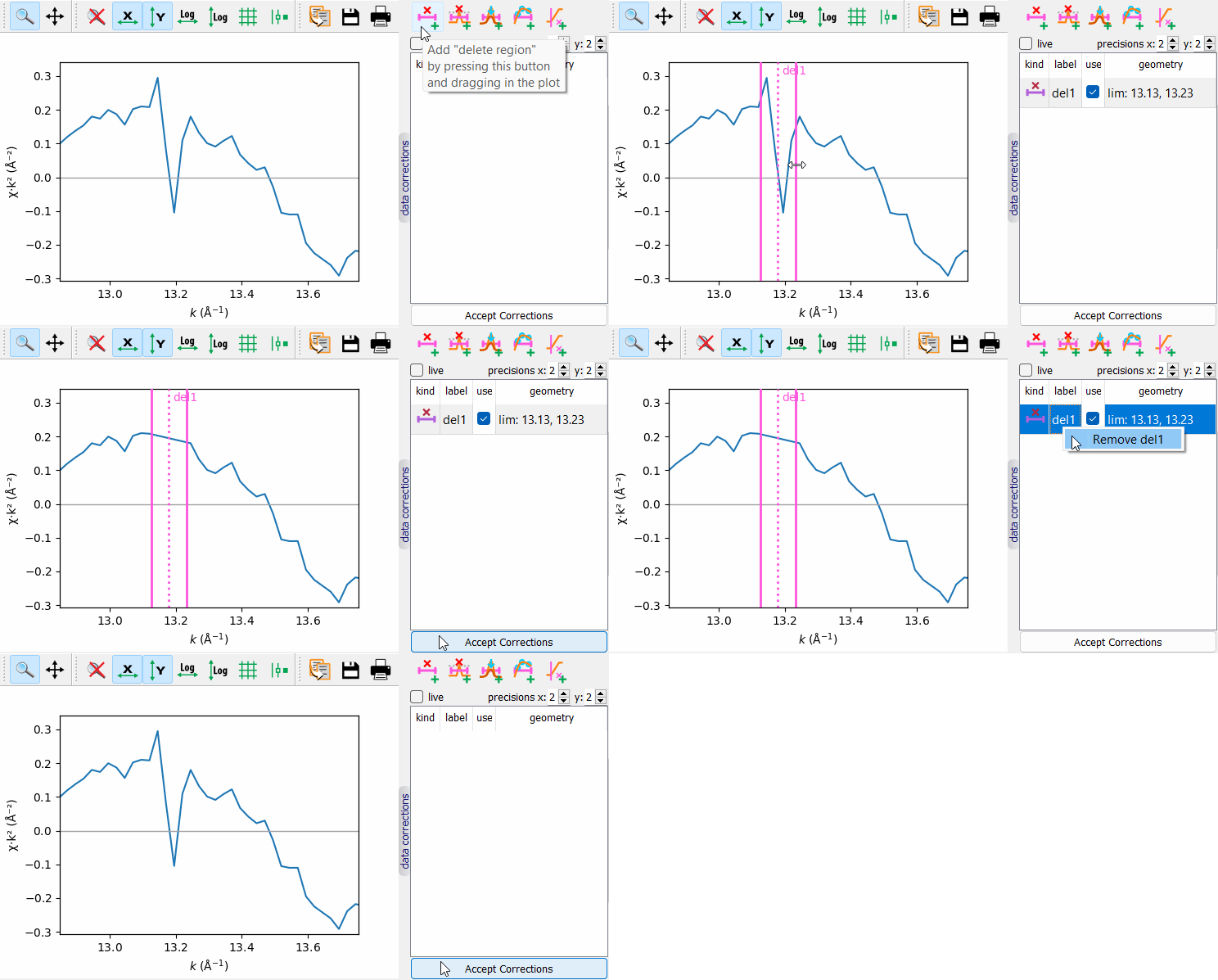
delete region |
(lim: 2-sequence) All points within the (lim[0], lim[1]) interval are deleted from the node arrays. |
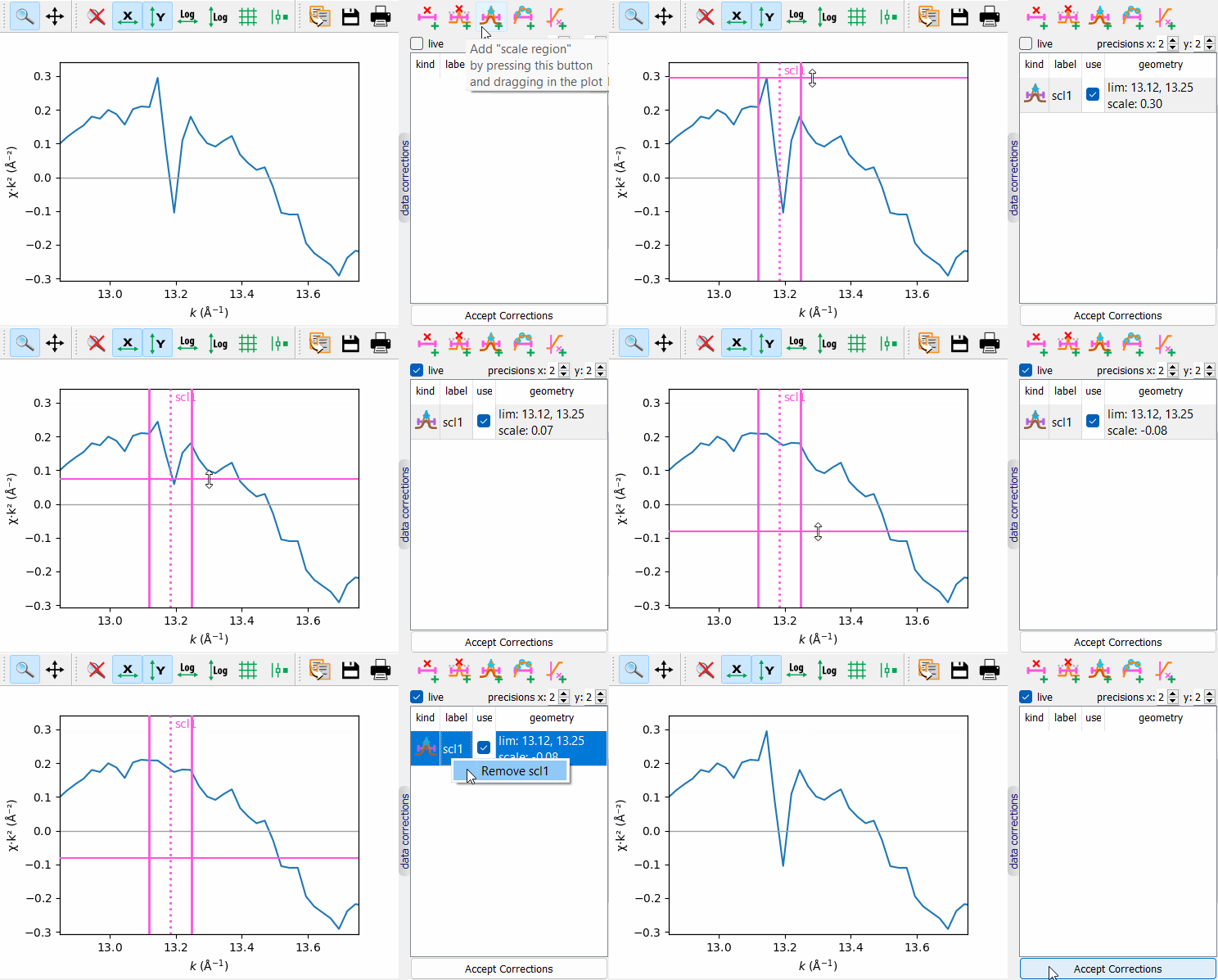
scale region |
(lim: 2-sequence, scale: float) All points within the (lim[0], lim[1]) interval are vertically scaled toward the straight line connecting the end data points that fall within the interval. The scaling factor depends on the vertical distance from the scale parameter to the straight line. |
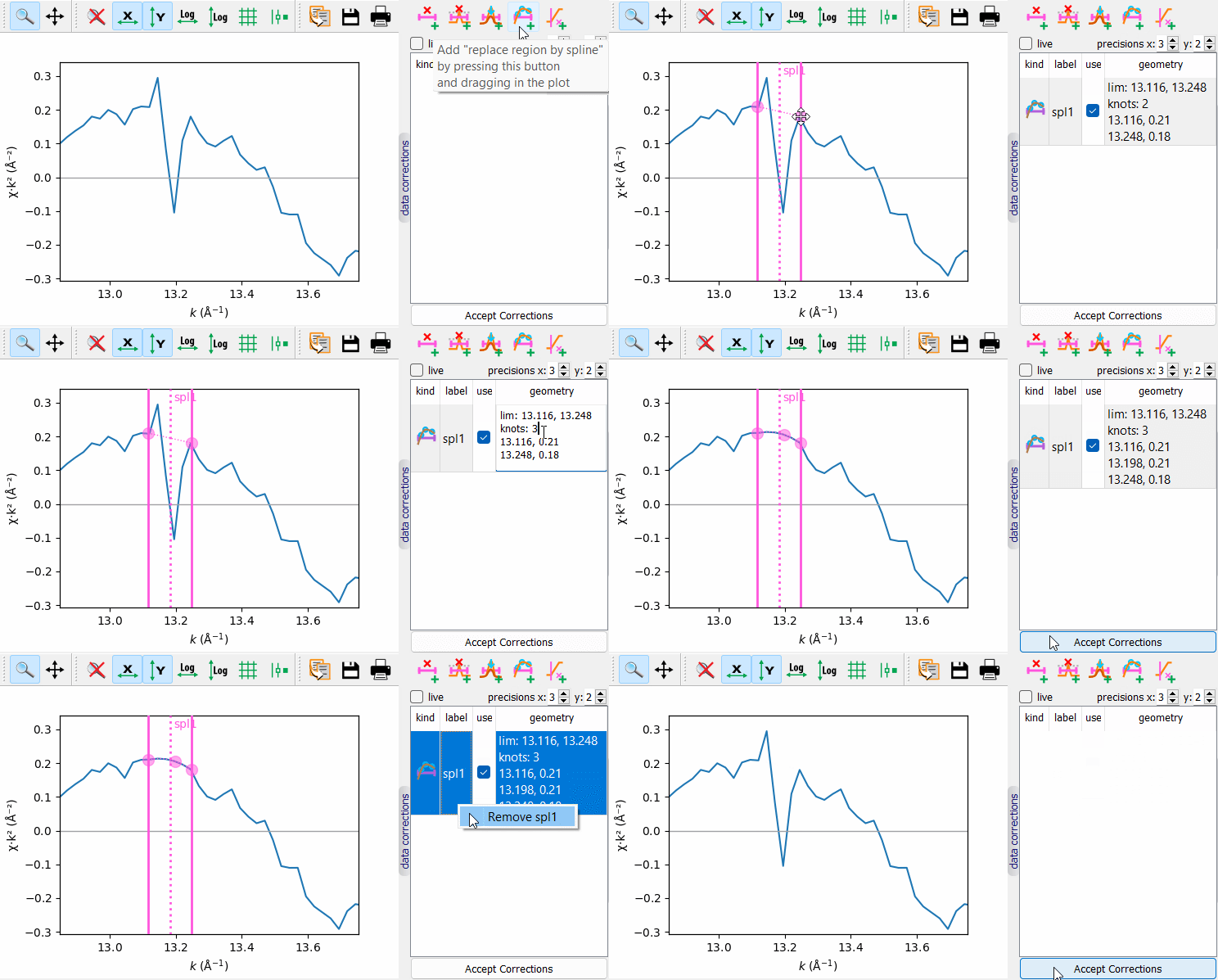
replace region by spline |
(lim: 2-sequence, knots: list of 2-lists ((x, y) points)) A spline drawn through the given knots replaces the points within the (lim[0], lim[1]) interval. |
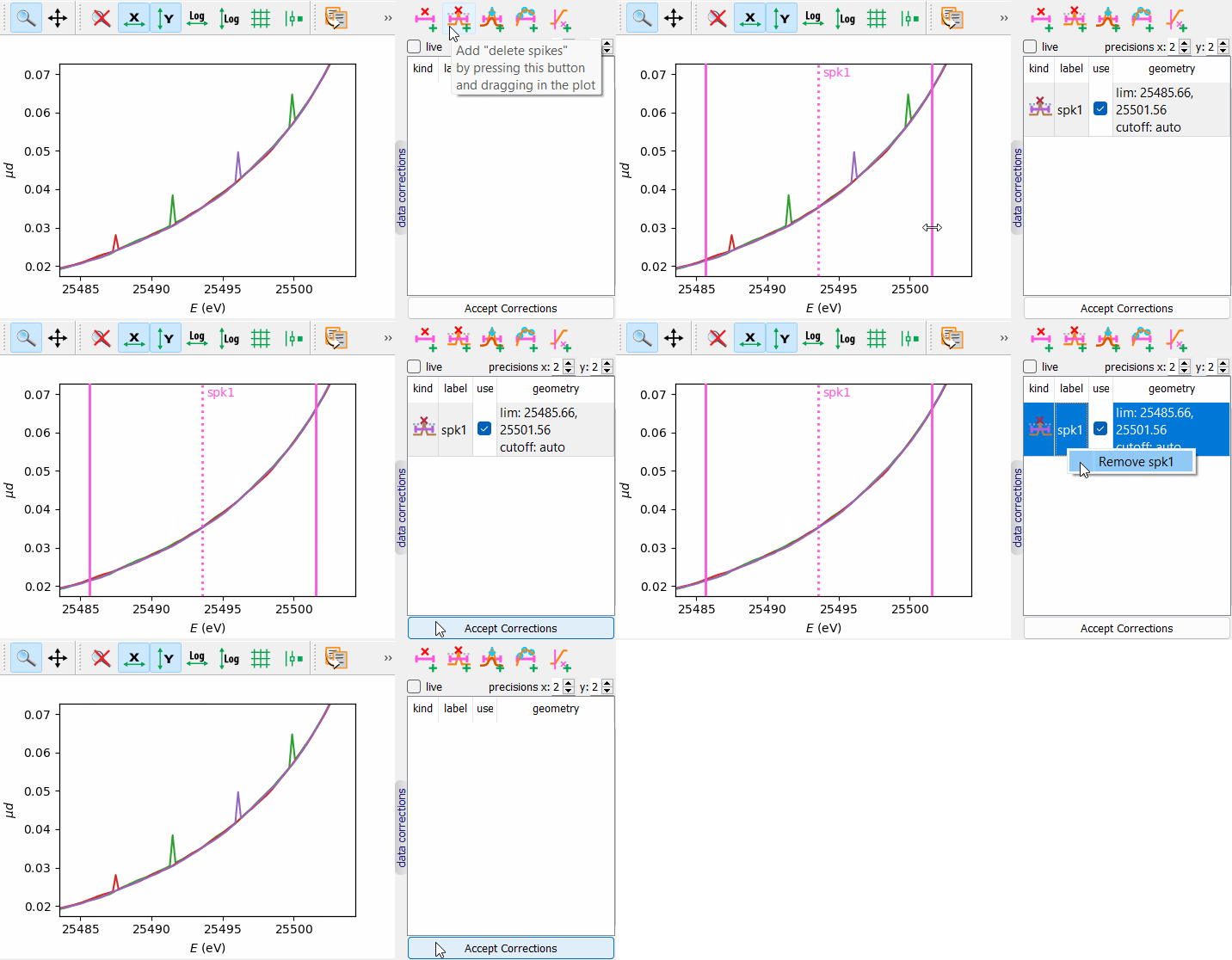
delete spikes |
(lim: 2-sequence, cutoff: float) The first y-array defined in the node is used to calculate its second difference. The second difference is normalized to its maximum and compared with cutoff. The exciding points are deleted from the node arrays. The automatic cutoff is set as 0.7. |
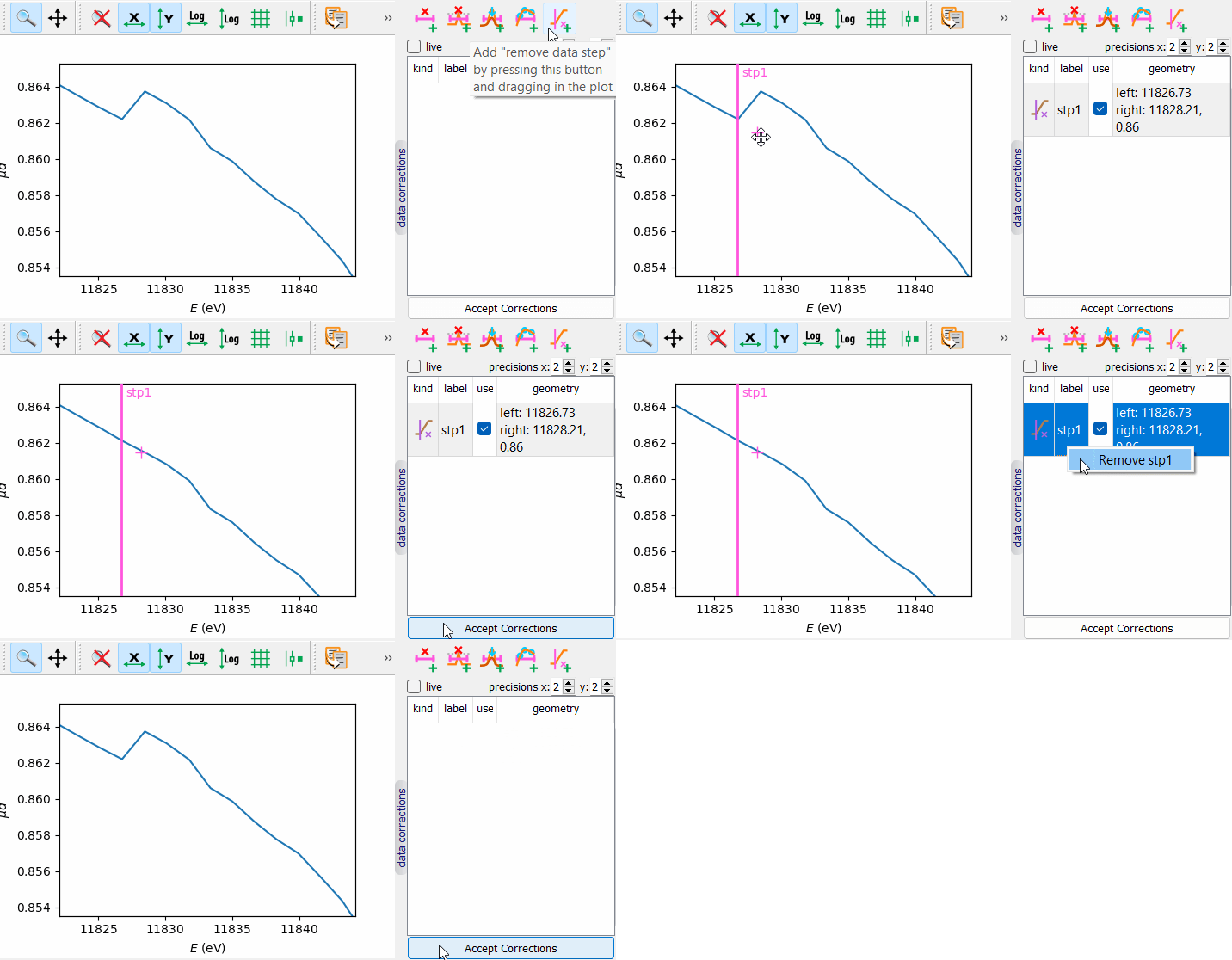
remove data step |
(left: float (x-coordinate), right: 2-sequence ((x, y) point)) All data points to the right of the right point are shifted vertically by the height difference at the right point. The points within the interval from left to right are linearly shifted from zero at the left to the found constant shift at the right. |
Data correction widgets
The correction widget is located to the right of the main plot and is hidden by default. It can be made visible using the vertical splitter button labeled “data Corrections”.
The widget presents a table of corrections, where each correction is associated with a corresponding plot tool. Corrections can be modified either directly in the plot or within the table. If the “live” checkbox is enabled, changes made through the plot tools or the table are applied immediately; otherwise, they take effect only after clicking the “Accept Corrections” button.
Refer to the table of corrections below and to the provided test script tests/test_dataCorrection.py for further details.
correction |
animated example |
|---|---|
delete region |
|
scale region |
|
replace region by spline |
|
delete spikes |
|
remove data step |